Case study · 2026
SmartMeetUp: meetings that write their own notes
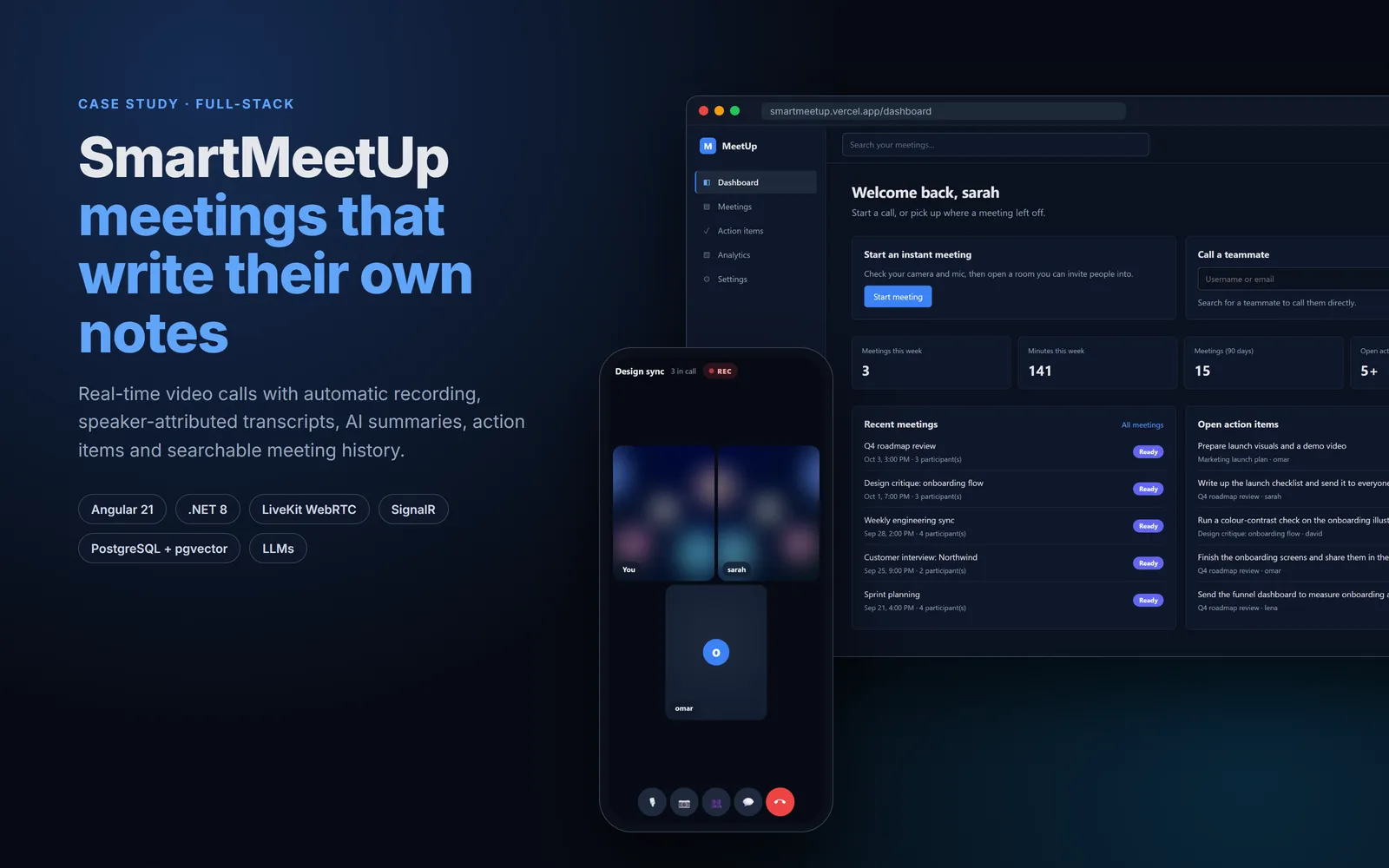
A browser-based video meeting app that does the boring part of meetings for you. You call a teammate, talk, and hang up. A few minutes later the meeting has a recording, a transcript that knows who said each line, an AI summary, action items with owners and due dates, decisions, speaking-time analytics and a follow-up email ready to send.
The short version
I designed and built the whole system on my own: a real-time calling experience that behaves like a phone, a background processing pipeline that turns raw audio into structured notes, and the infrastructure to run all of it in production for $0 a month. Every meeting you have ever had becomes searchable by keyword or by meaning.
- Real-time video calls for any number of people over LiveKit (WebRTC SFU), with an app-wide incoming-call popup and a ringtone generated in the browser.
- An event-driven post-meeting pipeline: record → transcribe → attribute speakers → analyse with an LLM → embed for search.
- Transcript lines attributed to real people, not “Speaker A / Speaker B”, by matching diarisation output against speaking activity reported by each browser.
- Hybrid search that merges PostgreSQL full-text ranking with pgvector semantic similarity using Reciprocal Rank Fusion.
- LLM analysis across several providers, falling back to the next one when a free model is rate-limited.
- 108 automated tests: 78 backend, 23 frontend and 7 multi-browser end-to-end tests that place real calls.
The problem
Meetings produce decisions and to-dos, and both get lost. Someone has to take notes. Nobody remembers who agreed to what, and a week later the only record is a vague memory. The tools that fix this are usually bolt-ons to someone else's video platform, which makes them expensive and disconnected from the call itself.
- Talking should be effortless.Calling a teammate should feel like calling them on a phone: it rings, they answer, you're talking.
- The notes should write themselves. No bot to invite and nothing to upload. Hanging up is the trigger.
- The output should be trustworthy. A summary is only useful if you can check it against who actually said what, and when.
- It should run for free. Every service had to fit inside a free tier without the product feeling cheap.
What it does
1. Calls that behave like a phone
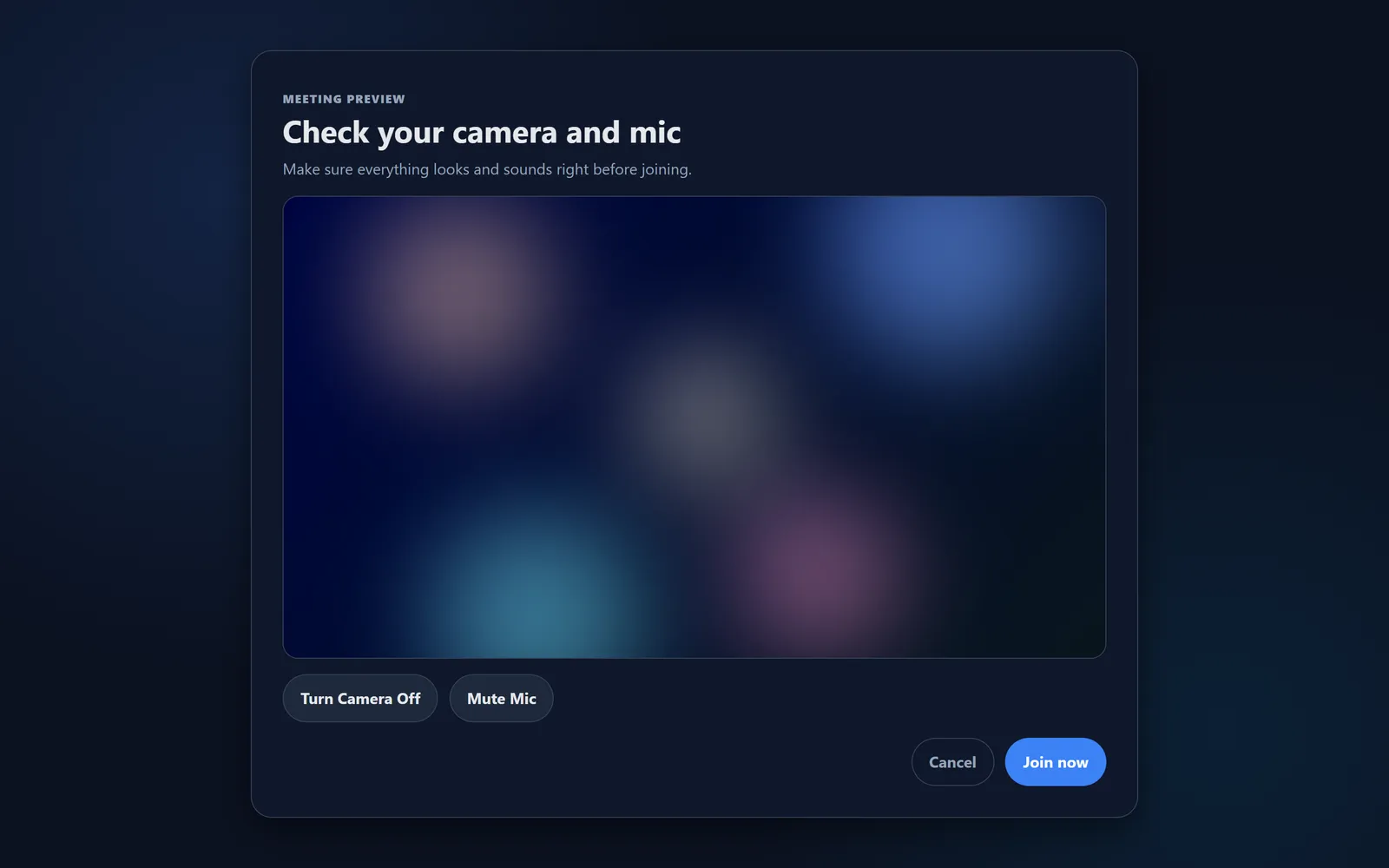
From the dashboard you search for a teammate and press Call. A meeting page opens and shows them being rung. On their side, wherever they are in the app, a popup appears with Accept and Decline, and a ringtone plays.
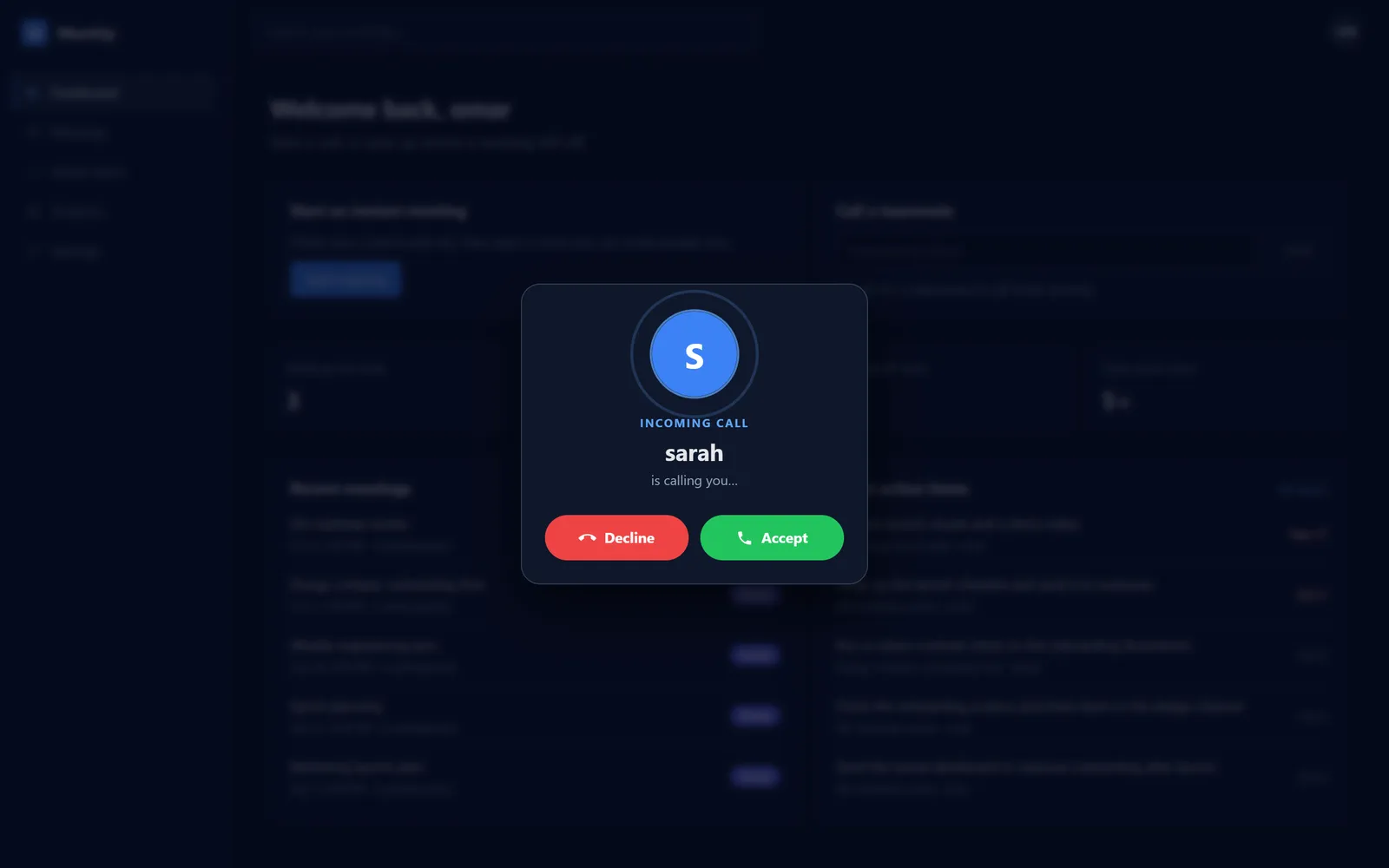
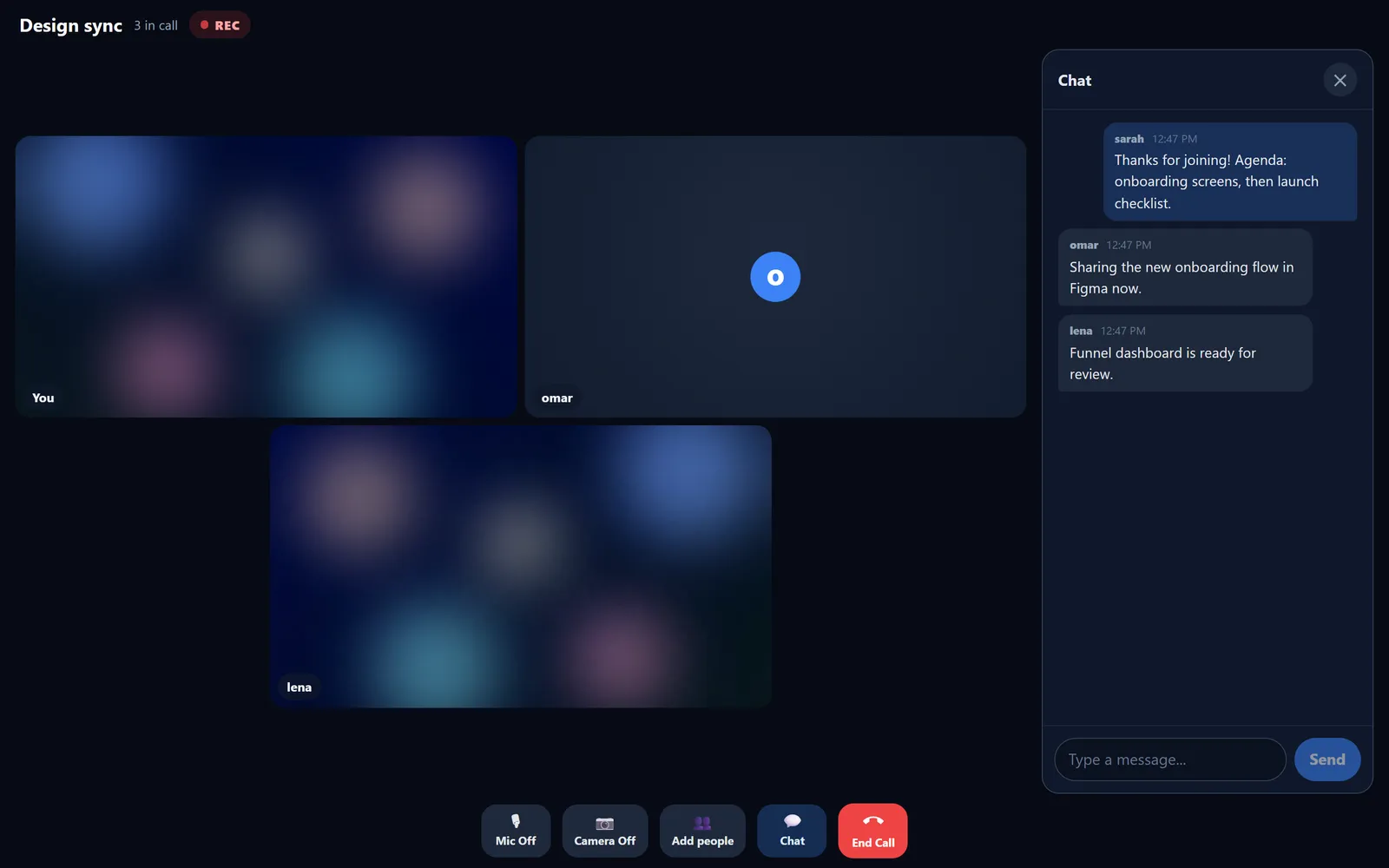
Inside a call, the only way to bring someone in is Add people, which invites them into the same room. Calling a different person means leaving first, the same rule a phone follows. The server enforces this too, not just the UI.
2. Notes that write themselves
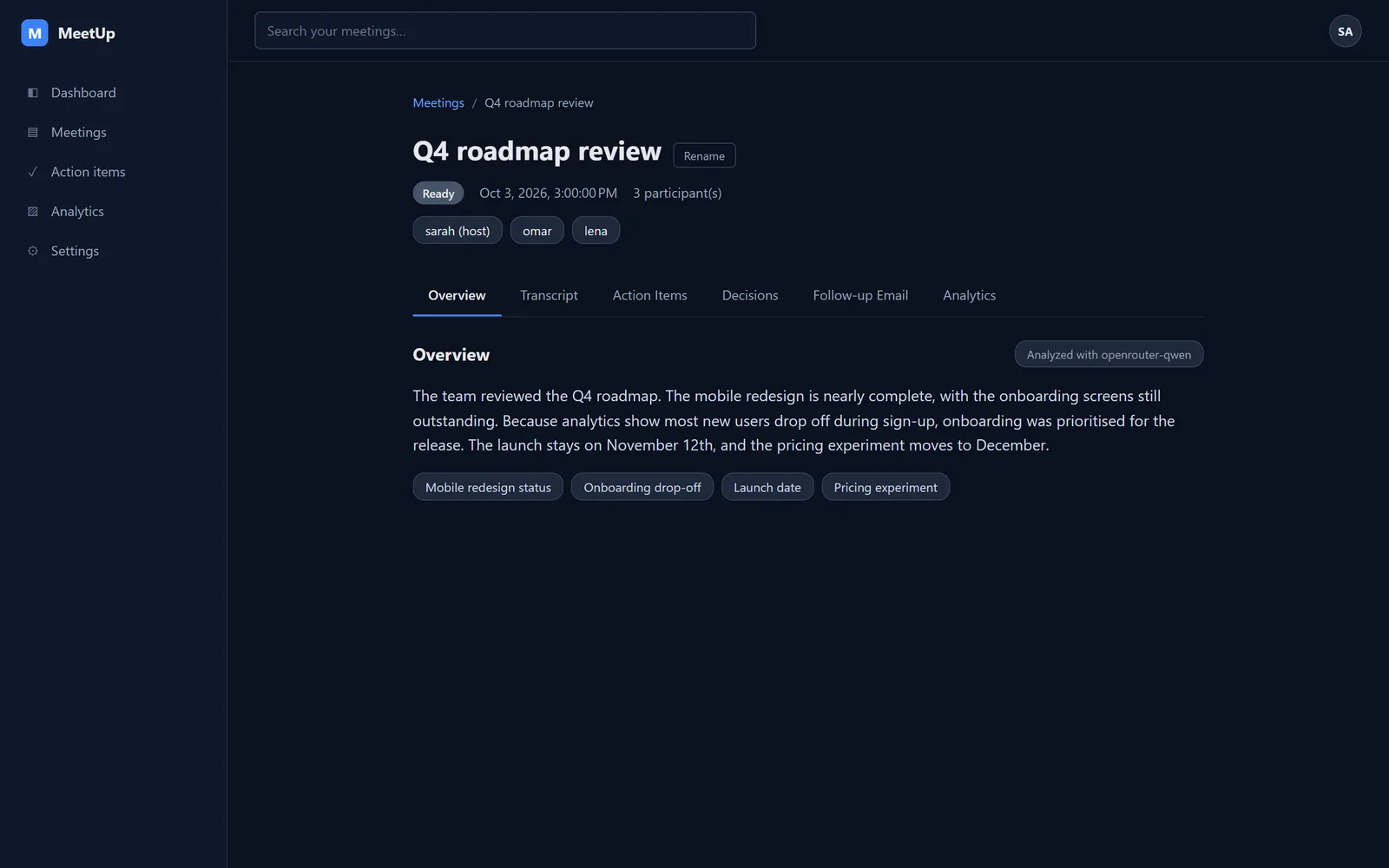
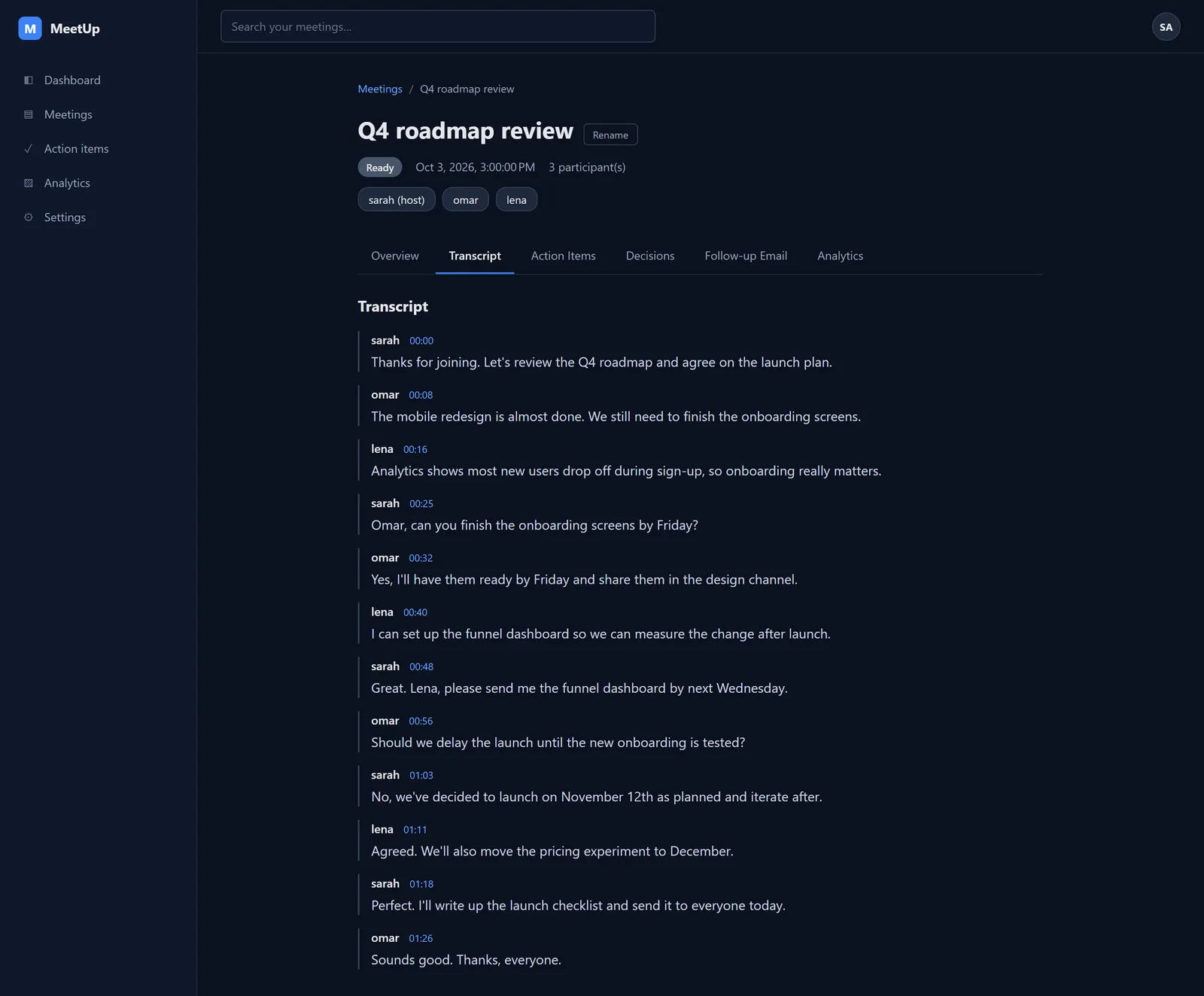
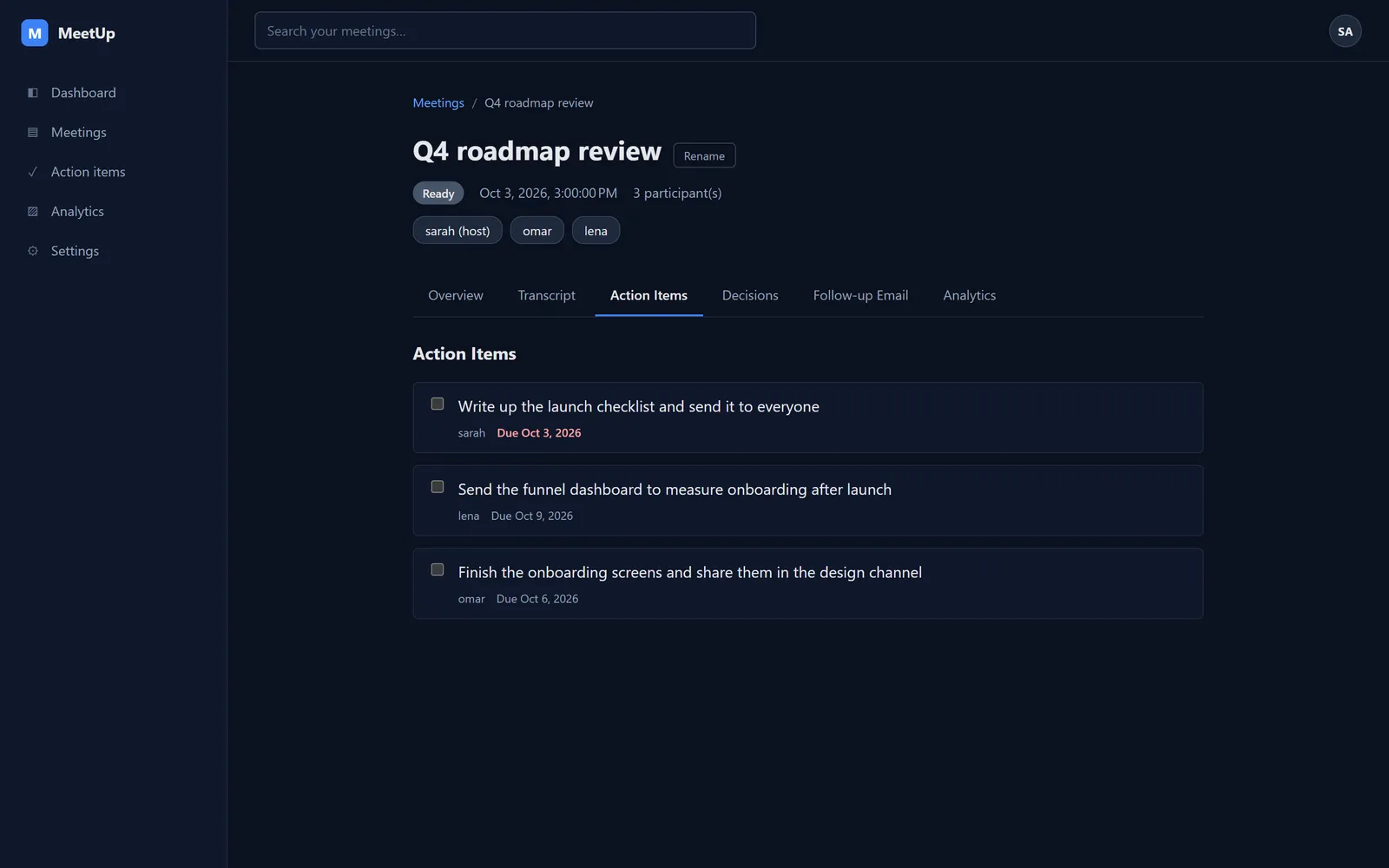
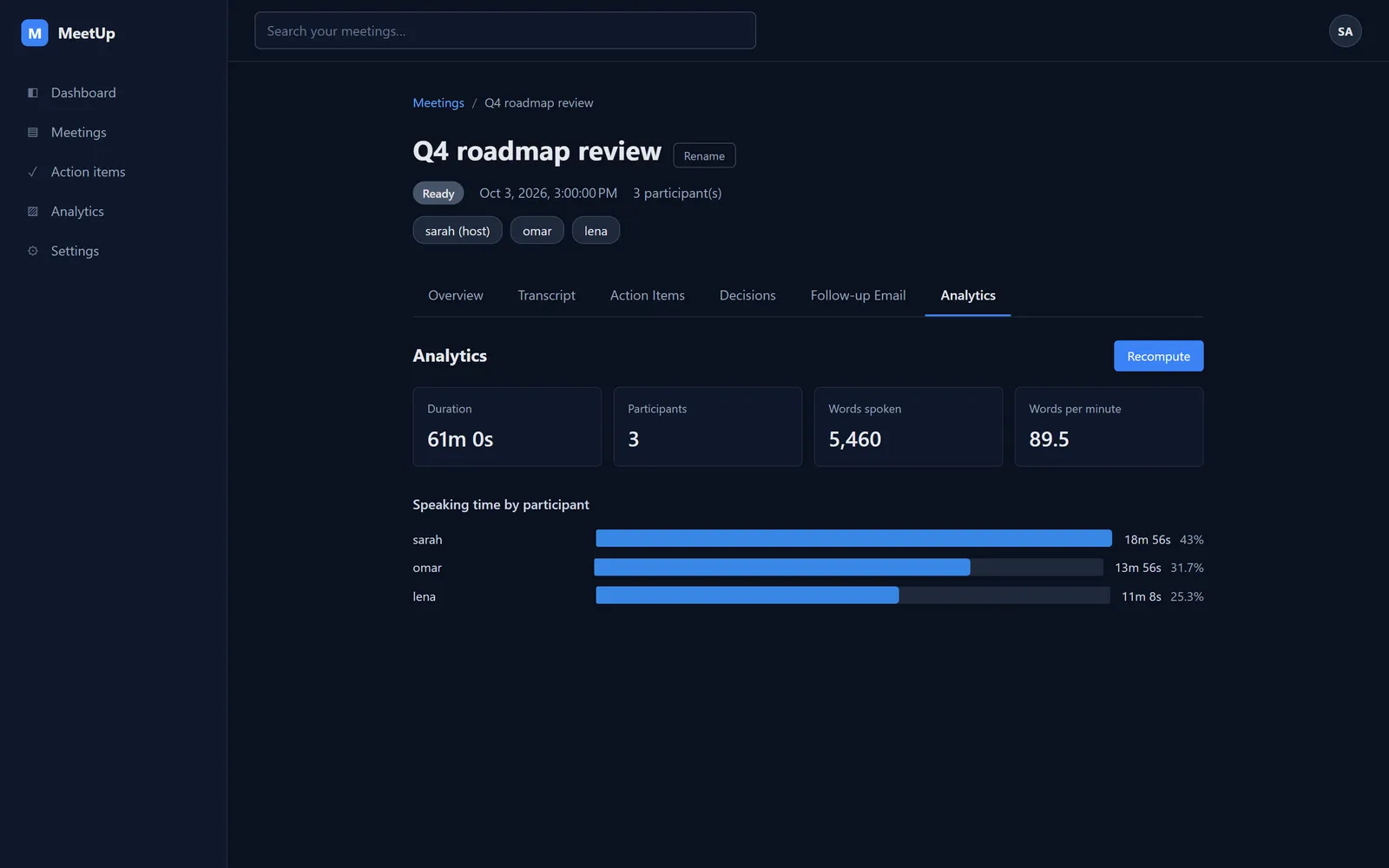
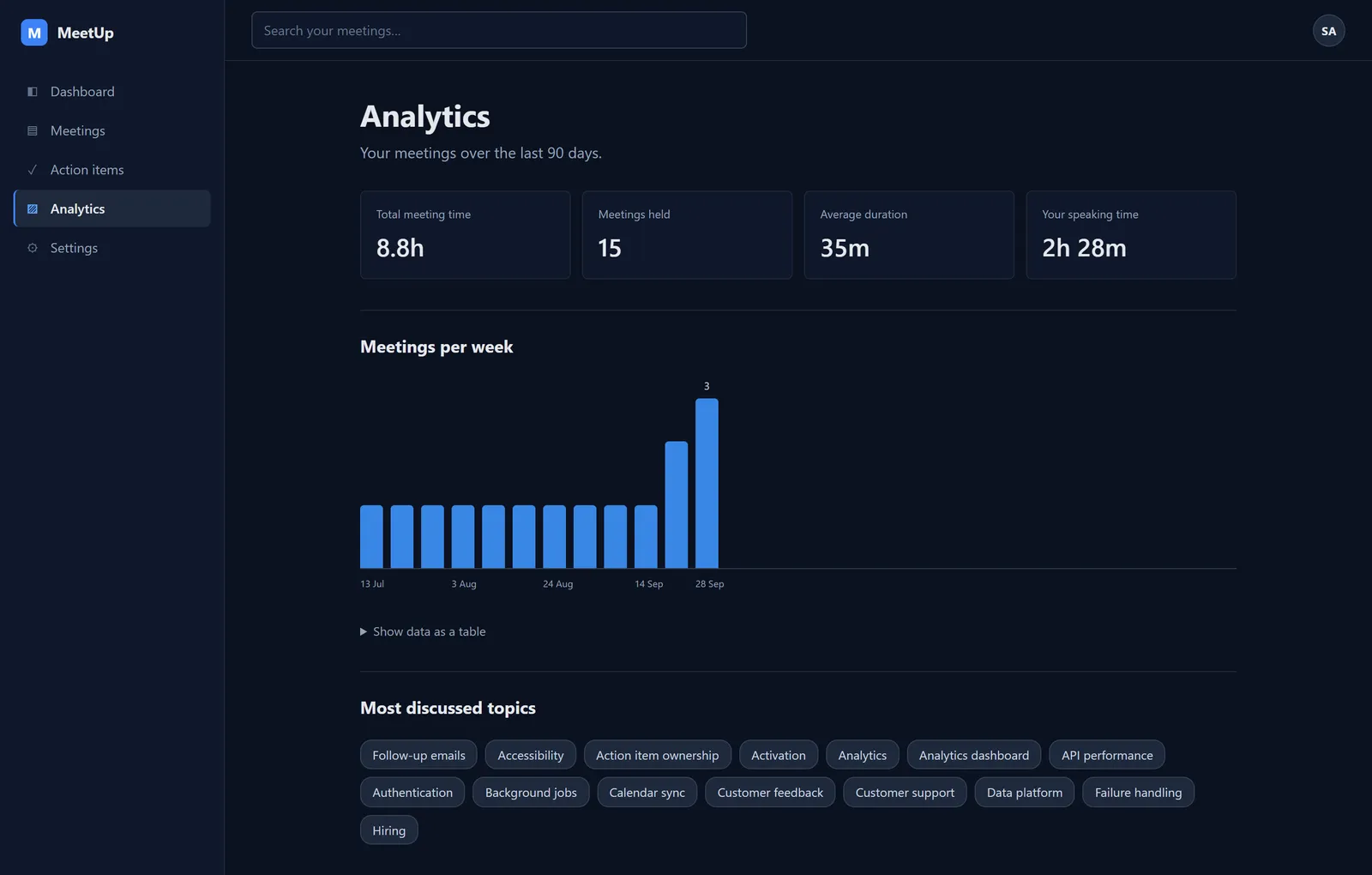
When the call ends, the meeting shows as Processingand can't be opened until its notes are ready. Then it unlocks with an AI summary and key topics, a transcript attributed to each speaker, action items with an owner and due date, the decisions made, a drafted follow-up email, and speaking-time analytics.
3. A searchable memory of every meeting
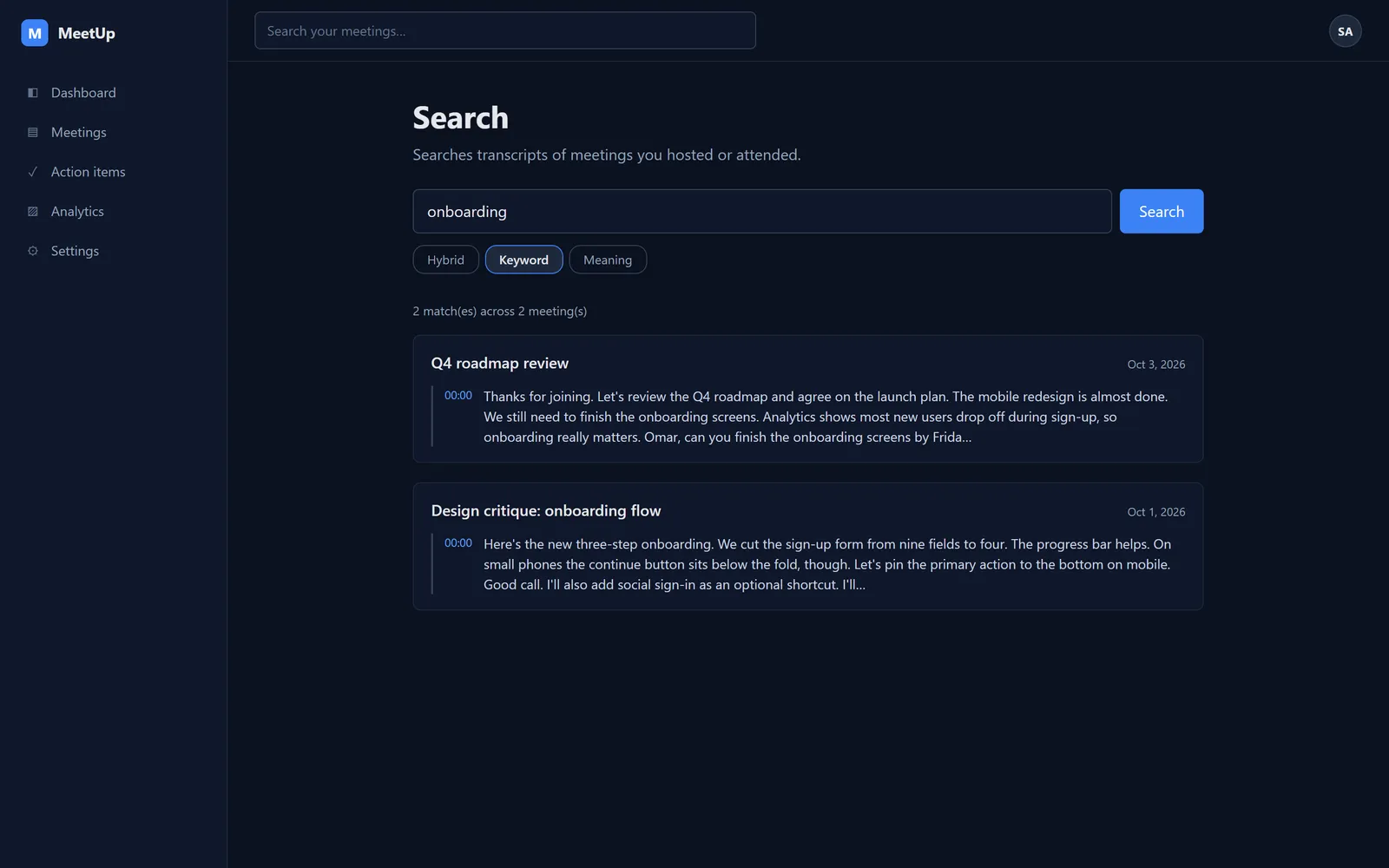
Every transcript is split into chunks and indexed twice: once for keywords and once for meaning. Search "onboarding" and you get the exact moments it came up, across every meeting you attended, each linked to its timestamp.
4. Built for phones as well as desktops
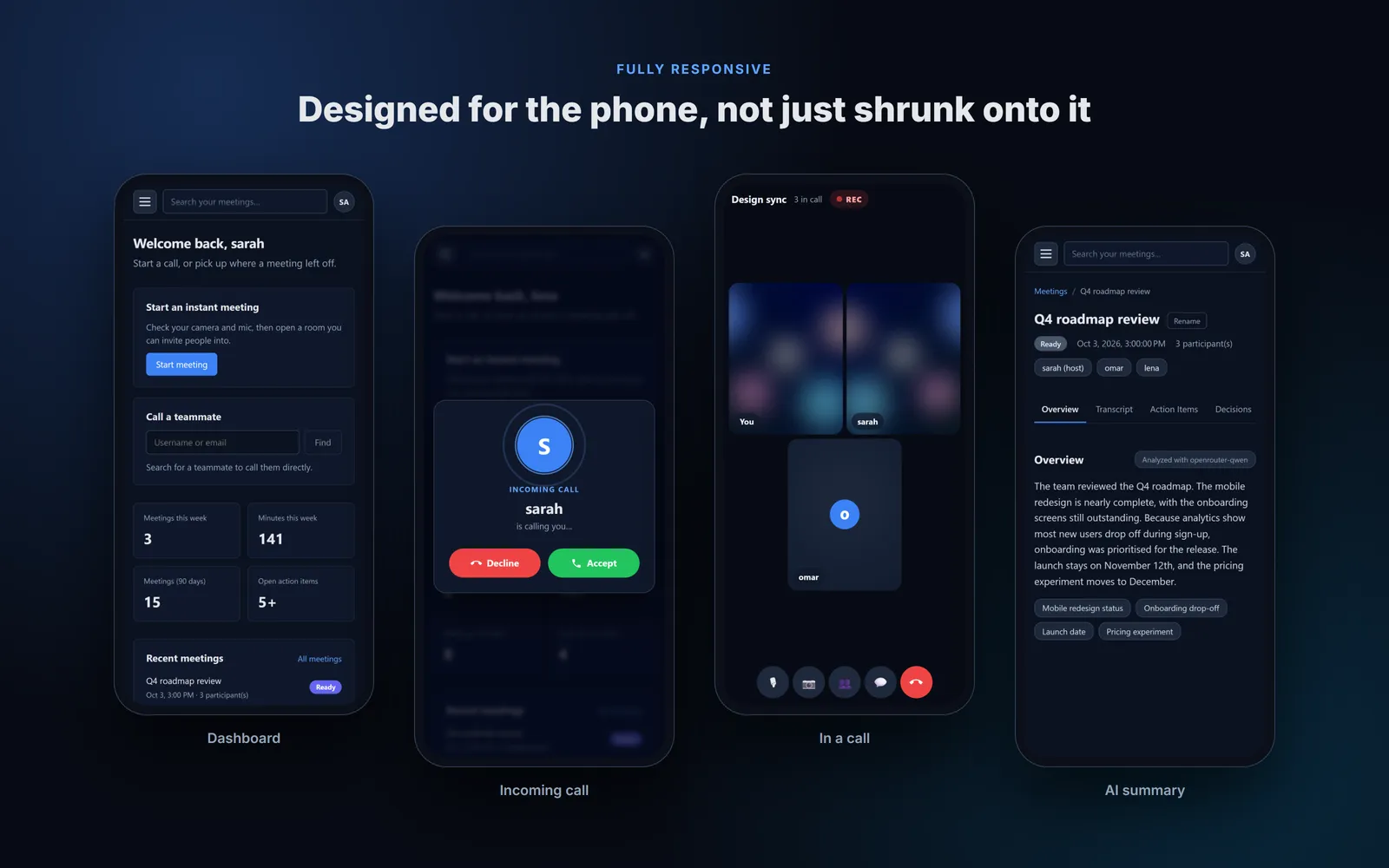
Every screen was designed for a 390px-wide phone as well as a desktop. Navigation becomes a slide-out drawer, tables turn into cards, the video grid stacks tiles vertically, and the chat and people panels slide up as a bottom sheet instead of squeezing the video.
Architecture
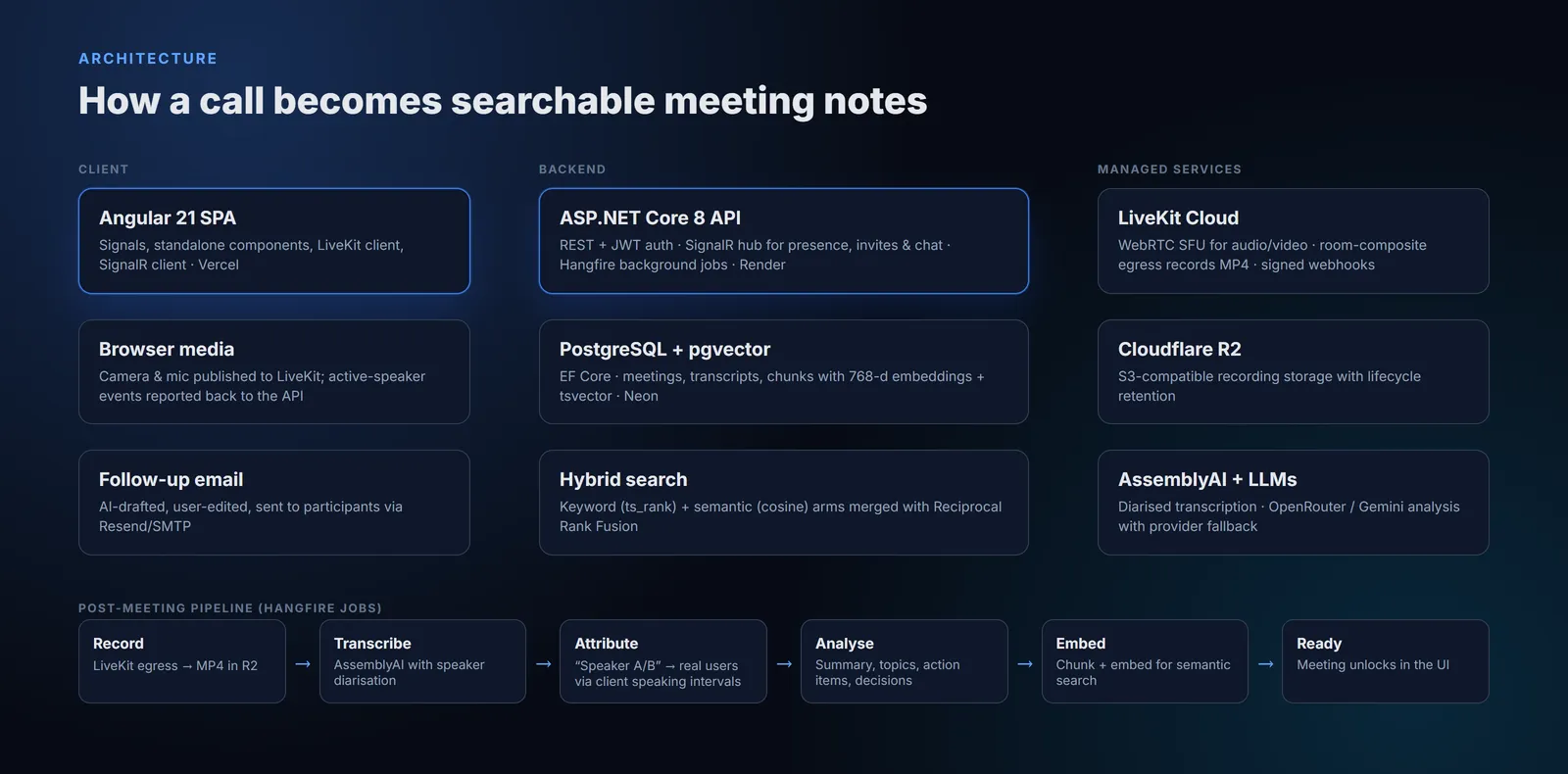
- Angular 21 single-page app (Vercel). Standalone components with signals for state, the LiveKit client for media, and a SignalR client for presence, invites and chat.
- ASP.NET Core 8 API (Render). REST endpoints with JWT auth and refresh tokens, a SignalR hub for real-time events, and Hangfire for background jobs, with EF Core over PostgreSQL.
- Managed services. LiveKit Cloud for media and recording, Cloudflare R2 for storage, Neon for Postgres with pgvector, AssemblyAI for transcription, OpenRouter and Gemini for analysis.
Why an SFU instead of peer-to-peer WebRTC?The first prototype used a peer-to-peer mesh, where each browser sends its video to every other browser. That works for two people, but upload bandwidth grows with every participant, and there is no single stream to record. LiveKit's SFU means each browser uploads once and the server forwards the streams, which made larger calls practical and server-side recording possible.
Engineering deep dives
"Who said that?" Attributing the transcript to real people
Speaker diarisation can tell voices apart, but it labels them anonymously: Speaker A, Speaker B. A summary saying "Speaker B will finish the onboarding screens by Friday" is useless. LiveKit knows who is speaking at each moment, but only reports it live to the browsers in the room, and its server webhooks carry no speaker data at all. So the attribution data had to come from the client: each browser records the intervals when its own user was talking, batches them to the API over SignalR, and a background job assigns each diarised label to the person whose speaking time overlaps it most.
The bug that taught me the most.In production, one participant's lines sometimes stayed "Speaker B" for an entire call. The API checked membership against in-memory presence, which is rebuilt whenever a connection drops and reconnects; during that window the server believed the user was in no meeting and silently discarded their speaking intervals. Checking the meeting's participant record in the database instead fixed it, and the client now retries unsent intervals rather than dropping them.
A pipeline that never leaves a meeting stuck
Turning a call into notes takes several external services, each of which can be slow or fail. The pipeline runs as a chain of Hangfire jobs driven by LiveKit webhooks: Scheduled → Live → Processing → Ready (or Failed, with a retry button).
- Webhooks are verified by hand.LiveKit began sending fields the .NET SDK's parser rejected, so valid webhooks failed. I replaced it with my own verification: validate the signed JWT, then compare the SHA-256 checksum it carries against the raw request body.
- Meetings are locked until they're ready, so nobody lands on empty panels, and the list unlocks them on its own when processing finishes.
- Nothing stays "Processing" forever. A sweep job fails anything stuck for more than two hours so it can be retried, and storage lifecycle rules expire old recordings.
LLM analysis on a free tier
The analysis step asks an LLM for a strict JSON document: summary, topics, action items with assignees and dates, and decisions. Free tiers are unpredictable, so a provider registry covers Gemini and any OpenAI-compatible API, chosen through config rather than a deploy. If a provider says "retry in 8 seconds", the job waits; if it says "retry in 9 hours", it moves straight to the next provider. Transcripts are trimmed to each model's context window, and replies are parsed and validated, so a malformed answer counts as a failure instead of being written to the database.
A production bug with pgvector
Shortly after the first deployment, saving search embeddings failed in production with a type-mapping error, though it had worked locally. I reproduced it in an isolated test project: Hangfire opened the first Npgsql connection before EF Core had registered the vector type, and Npgsql shares type mappings across connections from the same source. The fix was to give EF Core its own dedicated data source with the vector extension enabled.
Search: keywords and meaning
Transcripts are chunked by utterance, not by raw text length, so every result can jump to that moment in the meeting and chunks never split mid-sentence. Each chunk is stored with a PostgreSQL tsvectorfor keyword ranking and a 768-dimension pgvector embedding for semantic similarity. The two lists can't be blended by score, because ts_rank and cosine distance use completely different scales, so they are merged with Reciprocal Rank Fusion, which combines results by rank instead.
Calling that feels like a real phone
- Reachable everywhere. The real-time connection lives at the app root, opens as soon as someone signs in and reconnects automatically, so a user browsing their history still receives calls.
- A ringtone with no audio file.The ring is synthesised with the Web Audio API: two short dual-tone bursts, then a pause. The audio context is unlocked on the user's first click, because browsers block audio until then. Phones also vibrate.
- Ringing always stops.If the caller hangs up, disconnects or closes the tab, the server withdraws the invite. Unanswered calls time out at 45 seconds, and an invite that is no longer valid can't be accepted, so nobody walks into an empty room.
- A race condition found in testing.Switching straight from one call to another could let the old room's late "disconnected" event wipe out the new call's state. Joins and leaves now run strictly in order, and events from a replaced room are ignored.
Shipping it for $0 a month
| Concern | Service | Why |
|---|---|---|
| Frontend | Vercel | Static hosting with a global CDN |
| API | Render (Docker) | Free web service, health checks, easy env config |
| Database | Neon PostgreSQL | Serverless Postgres with pgvector built in |
| Recordings | Cloudflare R2 | S3-compatible, no egress fees, lifecycle rules |
| Media | LiveKit Cloud | Managed SFU and recording on the free plan |
| Transcription | AssemblyAI | Speaker diarisation included |
| AI | OpenRouter, Gemini | Several providers for resilience |
The trade-off is cold starts: Render's free tier sleeps the API when idle, so the first request after a quiet period is slow. Production hardening also covered per-IP rate limiting on authentication and other costly endpoints, structured logging with Serilog, health endpoints, and secrets in environment variables only.
Quality and testing
- 78 backend tests.Integration tests run the real API in memory and cover the SignalR hub end to end with real hub connections: invites, declines, accepted and missed calls, hang-up cancellation and the "one call at a time" rule, plus webhook verification and the meeting lifecycle.
- 23 frontend unit testscovering the meeting page's call flows and the incoming-call service: ringing starts, stops on answer, decline or hang-up, and rings out after 45 seconds.
- 7 end-to-end tests that drive two or three real browsers with fake cameras through complete calls, including adding a third person mid-call.
- An automated layout audit loads every page at desktop, tablet and phone widths and flags horizontal overflow. The responsive pass continued until all 36 page-and-size combinations passed.
~8,500 lines of C#~11,000 lines of Angular~3,000 lines of tests38 REST endpoints9 migrations
What I learned
- Reproduce before fixing.The pgvector and webhook bugs both looked like configuration problems, and each was solved only after rebuilding it in isolation. The first webhook "fix" looked right and did nothing; a test against a real payload proved it.
- Real-time state needs one owner. Most calling bugs came from two places believing different things. Moving that state to a single owner made whole categories of bugs impossible.
- Design for the free tier from the start. Rate limits, quotas, cold starts and storage caps shaped the provider fallback, the stale-meeting sweep and the recording lifecycle — good engineering regardless of cost.
What's next
Horizontal scaling with a Redis-backed presence store and a SignalR backplane, a light theme on the existing design tokens, push notifications so a call can ring with the app closed, and live captions during the call rather than only after it.
See it running
The demo is seeded with example meetings, so you can open a summary and search transcripts right away.
Designed and built end to end by Muhammad Amjad. Back to the portfolio →